In the release notes of 7.2.12 and 7.6.4 you will see something like this:
After upgrading you will not be able to connect to the IDP until you fix this. This blog entry will show how to modify the signing options in Azure which will resolve the issue.
Once the firewall was upgraded, SAML auth was failing to Azure on the SSL VPN. I debugged out the authentication attempts (dia deb app samld -1) and saw the following: Signature element not found.
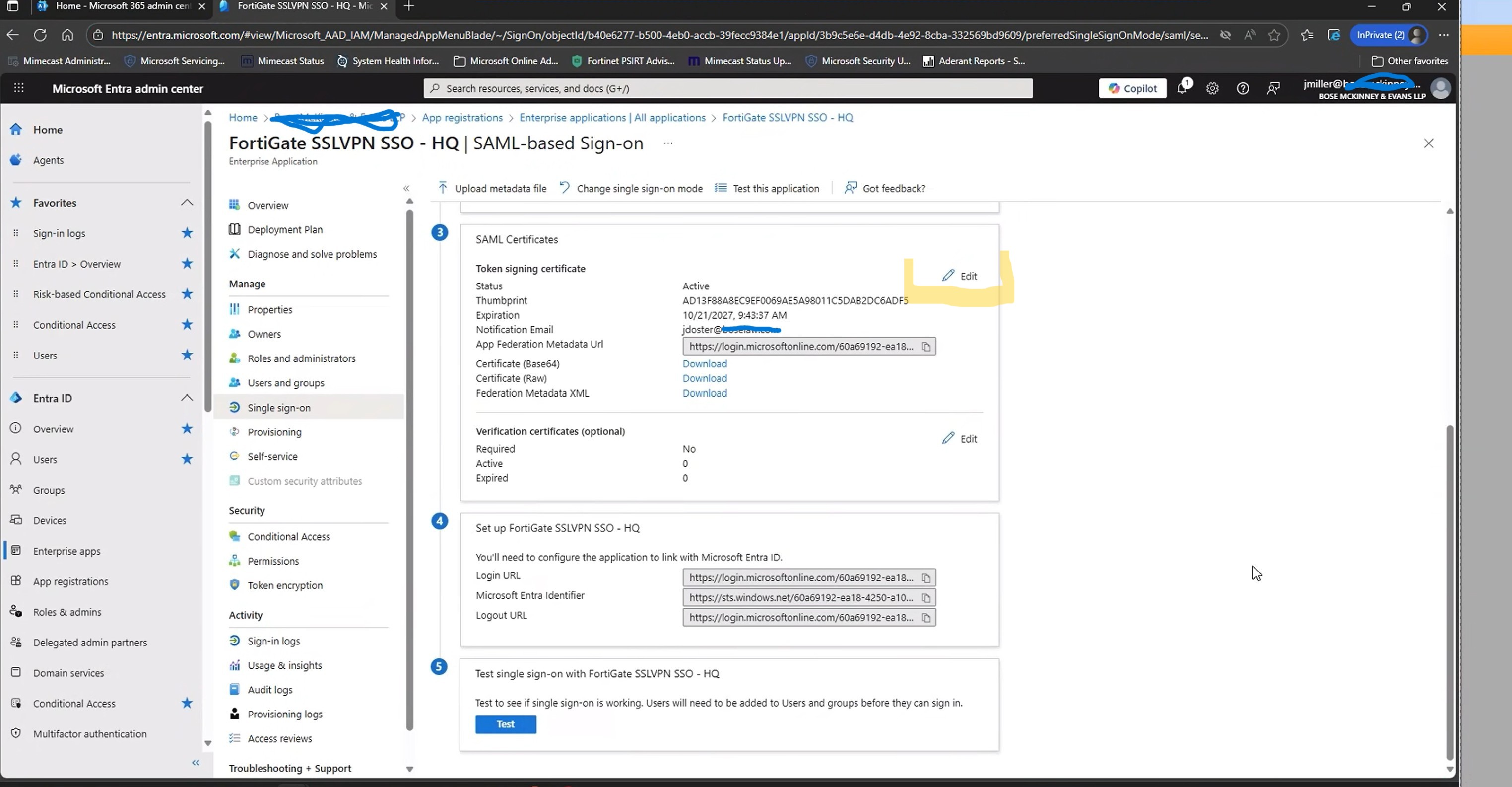
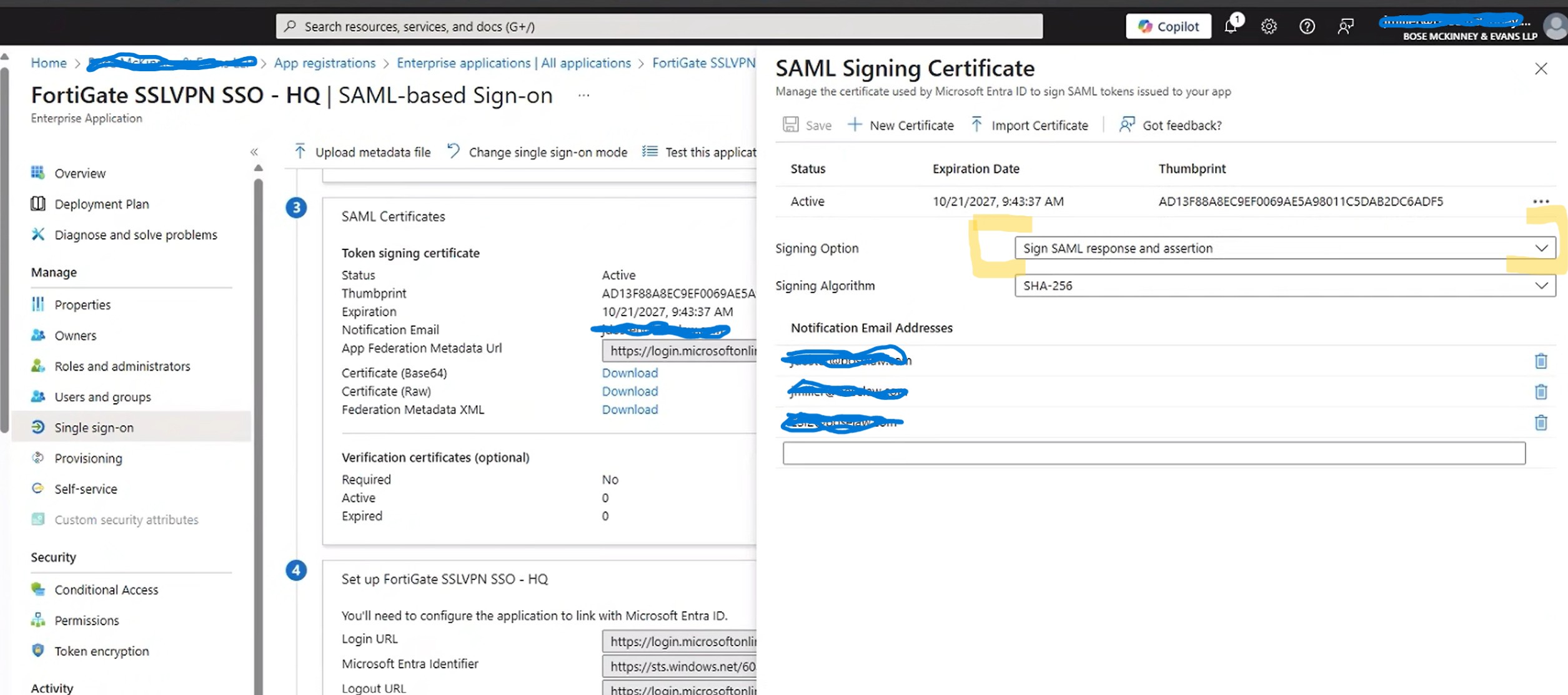
To fix this we have to go into Entra Apps, and the SSL VPN app we are using and modify the SAML signing option.
Check these two screenshots on how. First go to your app as mentioned above, and then the “Single Sign-on” section. Next click on the edit under the SAML cert selection.
Next lets change the setting for signing:
After changing these settings I was able to connect just fine. So whats actually happening here?
SAML signing involves using a digital certificate by an Identity Provider (IdP – Azure) to create a digital signature for a SAML Response or Assertion, which is then used by a Service Provider (SP or – Fortigate) to verify the data’s integrity and origin. A SAML Assertion contains user identity and authorization details, while the Response is the XML envelope that carries these assertions and other information from the IdP to the SP to facilitate Single Sign-On (SSO). Signing the entire Response ensures the whole message, including its assertions, is trustworthy and hasn’t been altered. So basically its a way to increase security by making sure that both parts are signed by the trusted IDP cert.
Thank you!!!
Our automatic update during the night from Saturday to Sunday caused SSL VPN authentication to stop working. This post saved me some extra work debugging and downtime this weekend. I really appreciate you sharing this fix!



Thank you! You saved my day!
Thank you!!!
Our automatic update during the night from Saturday to Sunday caused SSL VPN authentication to stop working. This post saved me some extra work debugging and downtime this weekend. I really appreciate you sharing this fix!
Thanks for this post.
Saved a lot of time.
Thank you!!!!!
Thanx from Prague CZ, it works fine!
Thanks a lot!!
Thank you for sharing!!
Thank you! also helped me.
Muito Obrigado!