Below details how to enable Syslogging for both the controller and APs.
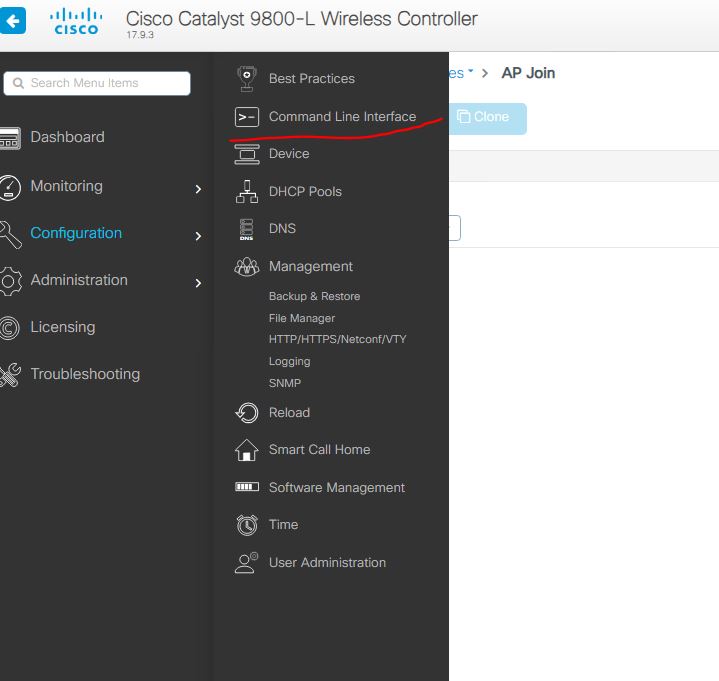
In the controller, it seems its CLI only (If not, please comment how to do from GUI). First lets set the Controller to send syslogs. Navigate to Administration and CLI:
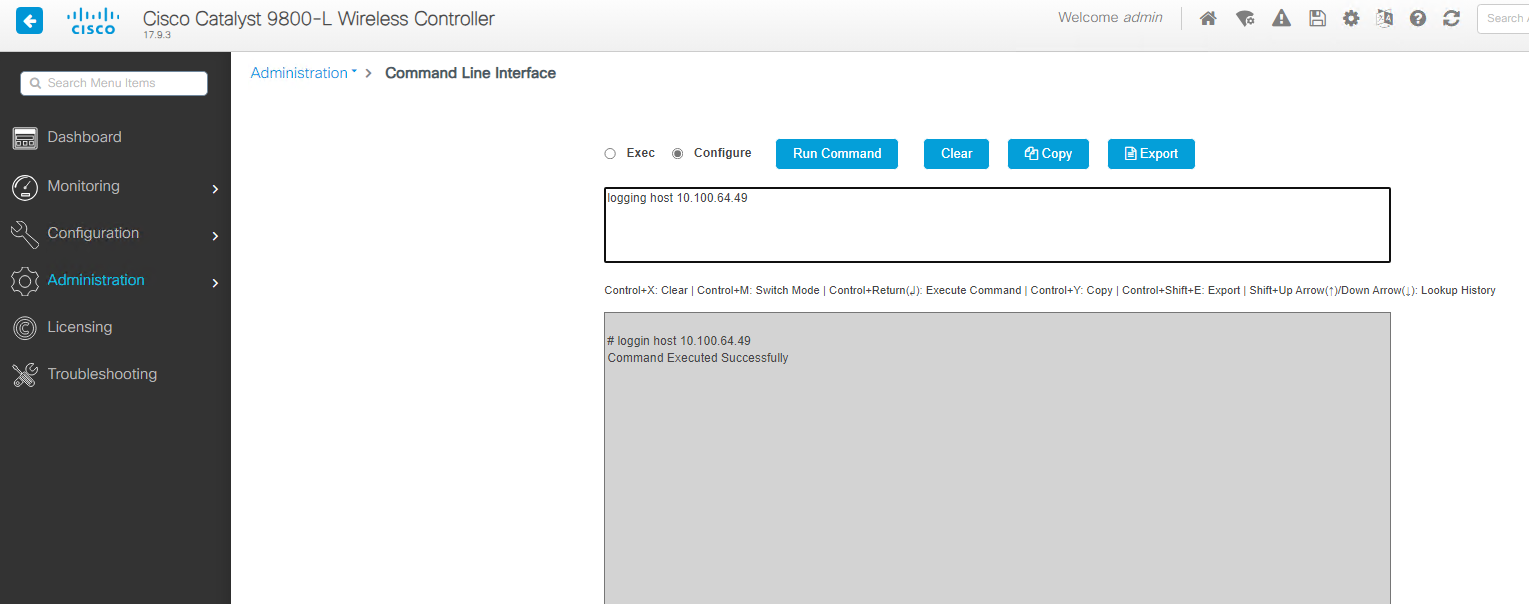
– then change the options to run as configuration. Next enter in the info you need. Below is the commad:
logging host <IP Address> transport <TCP/UDP> port <PortNumber>
All is default with my needs, so here is the command I will use : logging host 10.100.64.49
Thats it for the controller- now the APs.
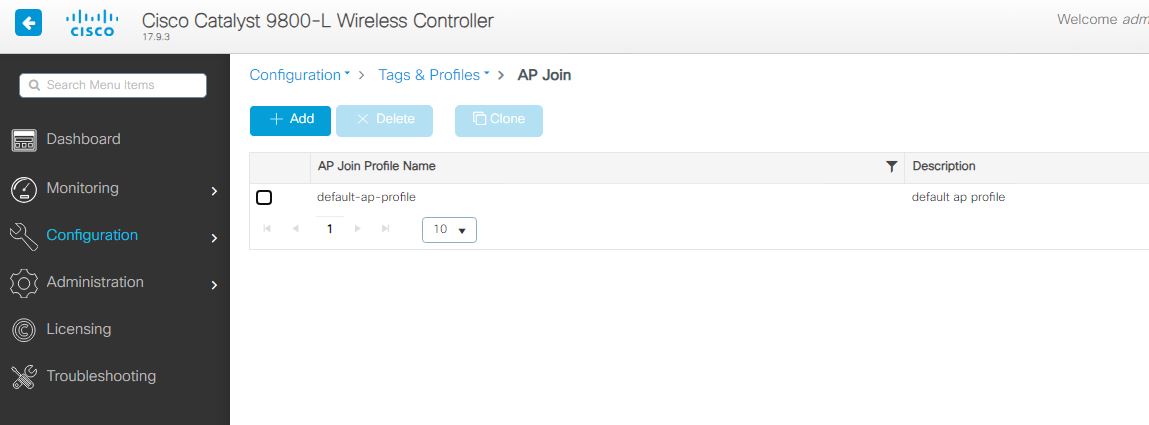
To set the APs you can use the gui – the settings are located in the AP profile, in my example, its still default. Very small deployment. Configuration – Tags and Profiles – then the AP Join profile.
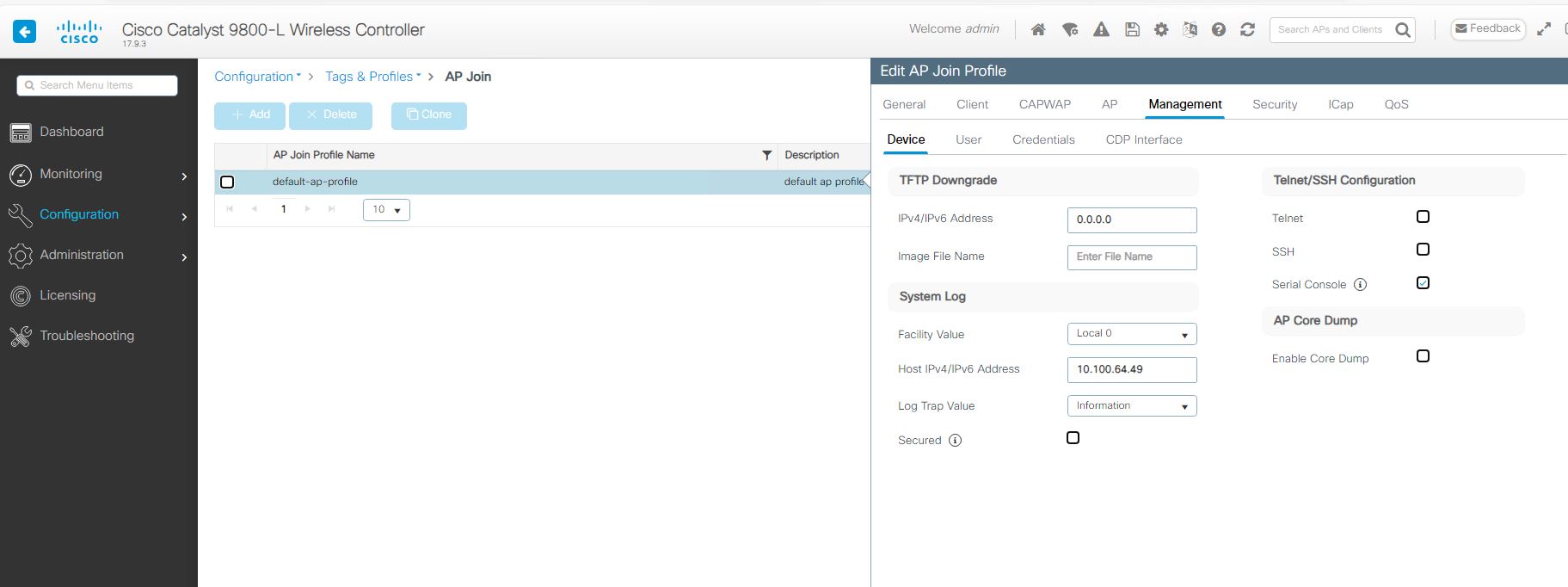
Once you open the needed profile to modify you will have the below settings – You see the Management tab. Once you open that tab, you will see the System log settings. Just set to what you need, apply, and don’t forget to save!
Using ACL logging can be a very useful tool not only to get info about whats going on, but also for troubleshooting. One way to get much more robust logging is to use the log-input at the end of the ACE.
The log-input command shows the normal things such as source ip/port and destination ip/port but will also so the ingress interface and mac address of the source. Very cool! The following is and example of the output: