I recently added a switch later in the stack, and wanted to make sure the switches were numbered the same as the physical order in the rack. I found no way to do this in the GUI – probably is, but the CLI method works great.
Easy change, just go to CLI, modify the order – very similar to modifying firewall policy order.
I needed to track down the power of one of our fiber ports – and had a hard time finding how through google-foo. Decided to document it. I did find this link if it helps anyone:
I am more impressed with Fortiswitches every time I work with them. The ability to implement light NAC features, INTRAvlan firewall policies and overall management really gives these switches a feature set to checkout when deciding on new switches.
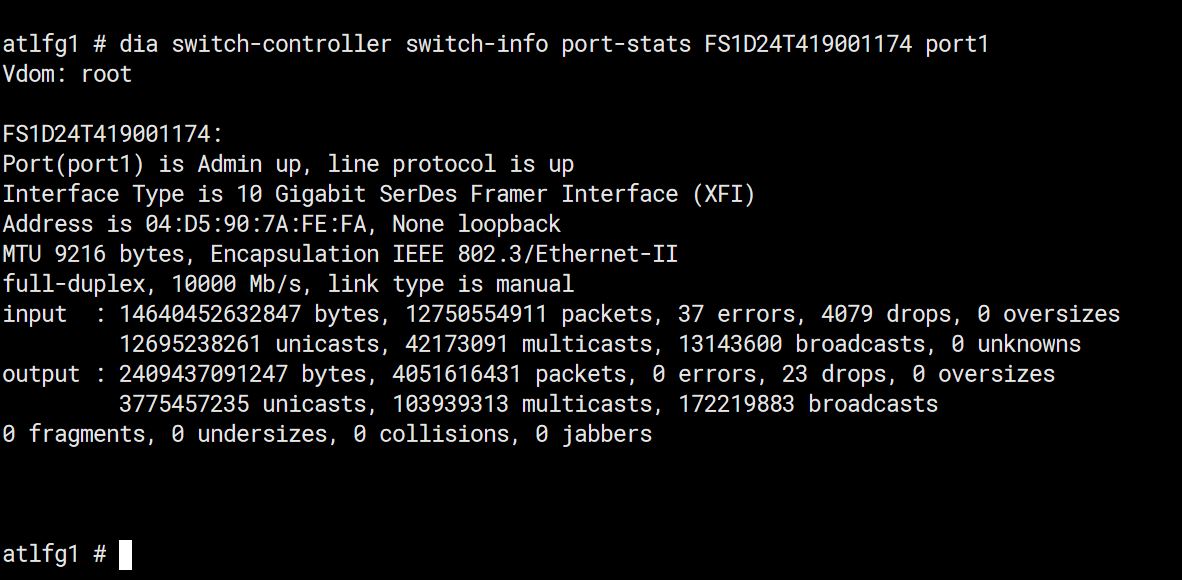
Below are the steps to quickly get the interface stats such as errors/packets, etc. The commands are ran on the Fortigate, which in this case is controlling the Fortiswitch.
Drop into CLI on the FGT and check what switches are connected by running the command
get switch-controller managed-switch
This command will bring back the names of the manged switches. Locate the switch you want to check the port stats on. For example, we will use the name “FS1D24T419001174”